Live Remote Meter v1.2
Audio effect for Ableton Live 12 (Max for Live)
Sends one track’s level to the Live Remote and Live Cue pages — and keeps working with Ableton hidden behind OBS.
Free, provided as is. Built for one working live rig and shared in case it is useful to you.
What it does
- Measures peak and RMS of the track it sits on and sends them to the pages.
- Works when Live is in the background, which the Live API meters do not.
- Nothing is added to the audio: the signal passes through untouched.
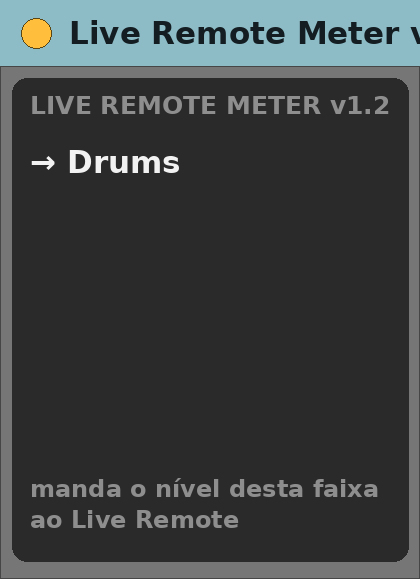
The device panel
- A small display naming the track it is measuring.
Requirements
- Ableton Live 12 Suite (Max for Live included)
- Max 9.2 or newer
- macOS (built and tested on Apple Silicon)
- Live Remote or Live Cue in the same Live Set
Install
- Unzip.
- Copy
Live Remote Meter v1.2.amxdinto your Ableton User Library (for exampleUser Library/max dani/). - In Live’s browser, find it under User Library and drag it onto a track.
Setting it up
- Put it at the end of the chain of each track you want metered.
- Nothing to configure.
Known limits
- One instance per track.
- Without it the faders still work, only the level bar is missing.
Version
- v1.2 — current release.
Support
No support promised, but bug reports are welcome. Say what you did, what you expected and what happened, with your Live and Max versions.