Live Remote Native v0.6.48
MIDI effect for Ableton Live 12 (Max for Live)
Turn any iPad, phone or laptop into a controller for your Live set — no third-party app, no cloud, no subscription.
Free, provided as is. Built for one working live rig and shared in case it is useful to you.
What it does
- Max itself serves a web page. Any device on the same Wi-Fi opens the address and controls the set.
- Songs tab: your scenes as a searchable list or grid, with favourites, recents, the one playing and the one selected, synced across devices.
- Mixer tab: faders, mutes and meters for the tracks you choose.
- TV tab: buttons that switch OBS scenes (through the OBS Scenes device) and reload a subtitle browser source.
- Show tab: song list with transport and talkback.
- Layout editor: drag blocks onto a grid, a different layout per device, undo and snapshots.
- Conectar button: a QR code, so a phone joins in one scan.
- Writes a diary of the show (
diario-YYYY-MM-DD.txt) next to the device data, so you can see afterwards what happened and when.
The device panel
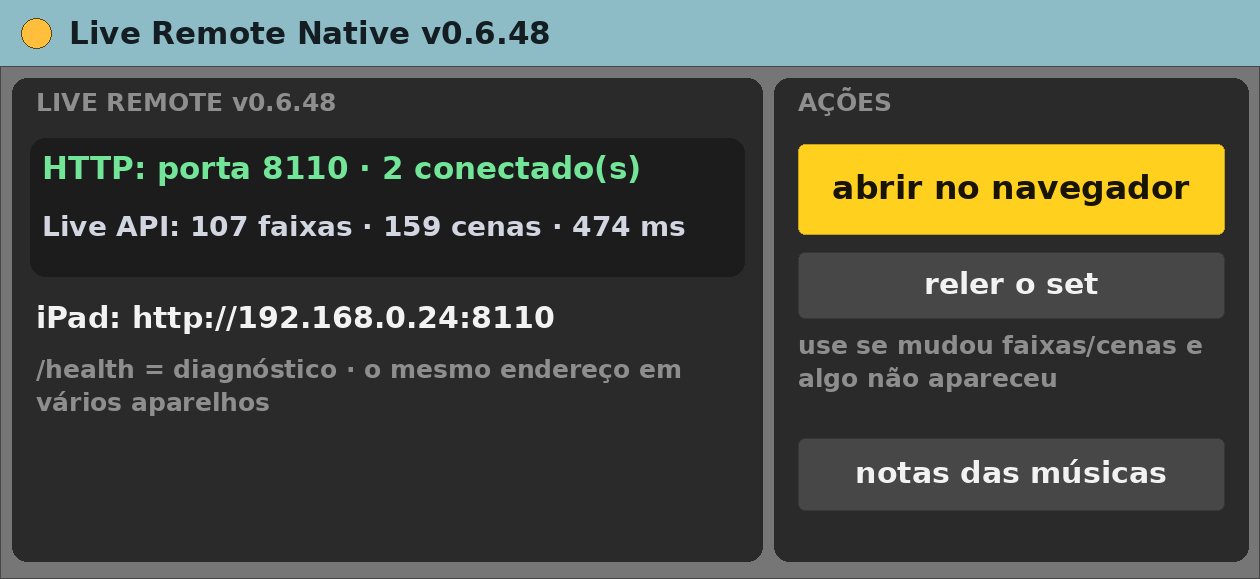
- HTTP — the server state and the port.
- Live API — whether it has read the set.
- abrir no navegador — opens the page on the Mac.
- reler o set — re-reads tracks and scenes if something did not show up.
- notas das músicas — the per-song notes file.
Requirements
- Ableton Live 12 Suite (Max for Live included)
- Max 9.2 or newer
- macOS (built and tested on Apple Silicon)
- All devices on the same Wi-Fi
- Port 8110 free on the Mac
Install
- Unzip.
- Copy
Live Remote Native v0.6.48.amxdinto your Ableton User Library (for exampleUser Library/max dani/). - In Live’s browser, find it under User Library and drag it onto a track.
Setting it up
- Drop it on any MIDI track.
- Click abrir no navegador, or Conectar for the QR code.
- On iOS, Share → Add to Home Screen gives a full-screen app.
- Optional companions: Live Remote Meter, Pads and BGM.
Known limits
- Interface in Portuguese.
- Anyone on the network can open the page — use a trusted Wi-Fi.
- Only tested on the author’s rig.
Version
- v0.6.48 — current release.
Support
No support promised, but bug reports are welcome. Say what you did, what you expected and what happened, with your Live and Max versions.